A Beginner’s Guide to Zero-Trust Security for Home Offices
The traditional ‘locked door’ approach is no longer useful in the field of digital security. In the past, our security depended on a Wi-Fi router and a strong password. We thought of our home network like a castle. Everything was trusted once you entered the gates.
However, this way of thinking is now a huge risk. Today, hackers log in rather than “break in.” They gain access to your work laptop by using credentials that have been stolen or by taking advantage of a single smart lightbulb. So, in this case, the stakes are high for remote workers in the U.S. You might lose your job, or the entire database of your company could be compromised by a single breach.
Therefore, it is important to adopt a new approach to avoid this major threat. This method is called Zero-Trust. We explain it simply in this guide. Moreover, through this article, you will learn how to apply this method to secure your necessary information properly.
What is Zero-Trust? (The Simple Version)
Imagine you are hosting a party. In the old ‘castle’ method, you check IDs at the front door. After entering your home, a guest can explore your bedroom, check your safe, or read your mail.
Zero-Trust is a modern way of thinking. In this model, the front door is locked. This rule is also applicable for your bathroom, kitchen, and other areas of your home. When a guest wants to move to a new room every time, he/she must prove his/her identity again.
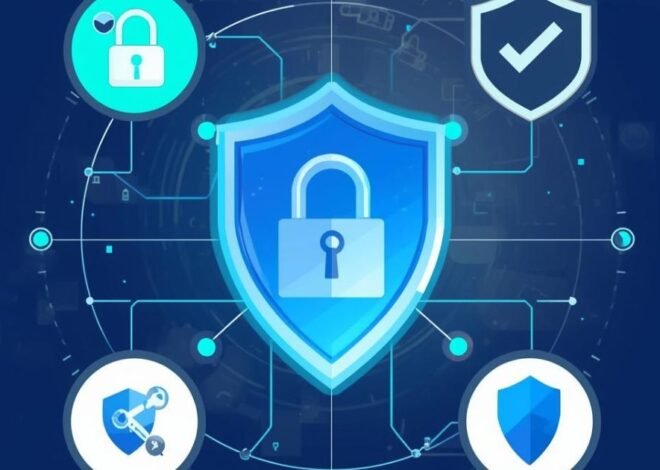
Zero-Trust has a simple rule: never trust, always verify. This method allows you to do not trust any user, device, or network by default. You must verify every single request. Furthermore, this means that your smart fridge, phone, and laptop do not trust each other at your home office. Hackers cannot access your work computer even if they manage to get control of your smart refrigerator.
Also, the U.S. government authorizes the Zero-Trust approach. It is facilitated by organizations like NIST and CISA. This modern technique is now important for small businesses.
Why Your U.S. Home Office Needs Zero-Trust Now
The U.S. workforce has permanently switched toward remote and hybrid positions. However, home networks are frequently noisy and unsafe. For cybercriminals, it is easy to target these types of networks. They are aware that you may be at risk. There are various risks associated with home offices. Also, malware attacks are common now. The cost of scams involving compromised business emails is high. Every day, phishing attacks become more complex.
It is crucial to think about your particular home office risks. These risks are:
Your Wi-Fi Network
Does it have a secure password? Many home routers are set up incorrectly. Attackers can easily access these routers.
Lack of Physical Security
Is your workspace accessible to anyone else? A big incident happens when a device is lost or stolen.
Device Sharing
Is your work laptop used by family members? This thing mixes professional and personal data. Because of this, you may be at serious risk.
Phishing Susceptibility
If you don’t have an IT team to ask, you are alone. Everything can be ruined by a single clever email.
Zero-Trust is not only for large companies like Microsoft or Google. It is an ideal approach to protect both your earnings and privacy. Through this technique, you can make sure to protect your clients’ data. Also, it turns into a real advantage in business. It shows your commitment to security.
Your 5-Step Zero-Trust Implementation Plan (For Beginners)
When you listen about Zero-Trust, you may feel overwhelmed. Don’t worry because it is a simple process. It is not necessary to do anything at once. If you follow this step-by-step plan, it changes business models for your home office. Below, we will talk about the whole plan:
Step 1: Access & Map Your Digital Assets
You are unable to protect something you do not know. Identify what your ‘crown jewels’ are. What is the most sensitive data? Client data is crucial. Financial records are also crucial. Intellectual property is invaluable. List every item.
Mapping the location of this data is the next step. Is it in cloud programs like Microsoft 365 or Google Drive? Is it stored on the hard drive of your laptop? Moreover, is it stored in your drawer on a USB stick? Take note of each place. Lastly, record who requires access. Are all of your files required? Does your virtual assistant require complete access to finances? Most likely no. Your whole security approach is guided by this map.
Step 2: Secure Your Identity
Your identity is more important than your location in Zero-Trust. It is irrelevant whether you are in your basement or at a Starbucks. You have to prove who you are.
Use a Password Manager
It is important to stay away from using the same passwords. It is the most common method of hacking. Make use of a program like Bitwarden or 1Password. These programs produce lengthy, random character strings. Also, they keep them in a vault that is encrypted. There is just one master key that you must keep in mind.
Enable Multi-Factor Authentication (MFA) Everywhere
You cannot compromise this. A second identity proof is necessary for MFA. Make use of an authenticator tool like Google Authenticator. An SMS message is better than nothing at all, but an app is secure. You can activate MFA for cloud storage, banking, and email.
Think About Going Passwordless
This step is like the future. Using biometrics or a hardware security key is a crucial step. You can get access by using your face or fingerprint. Apple Touch ID and Windows Hello are excellent places to start.
Step 3: Secure Your Devices & Endpoints
Any device that connects to your data is an ‘endpoint.’ You need to secure these devices.
Manage Your Devices
It is the first step to install security software on your work laptop. Devices that are managed by the company are the best option if you have staff. This makes it possible to implement safety measures.
Enable Automatic Updates
It is important to install updates immediately in any situation. Major security errors are addressed by this step. Turn on your operating system’s auto-updates. For every application, follow the same procedure.
Install Advanced Protection
Antivirus software is not enough. Think about options for Endpoint Detection and Response (EDR). They identify and address complicated threats. There are solutions available for small businesses.
Step 4: Protect Your Data & Applications
The assets you mapped in Step 1 should now be protected.
Encrypt Your Data
Your data gets lost by encryption. It is nothing without a key. On your laptop, use full-disk encryption. This is managed by BitLocker (Windows) and FileVault (Mac). You must make sure encryption is used by your cloud storage provider as well.
Control Application Access
It is a simple rule. Allow access to only reliable business apps. Keep personal software away from work-related data. Think about ideas such as a Cloud Access Security Broker (CASB). By using these tools, security rules for cloud apps are enforced.
Establish Clear Policies
For your home office, making a simple rule is important. Nobody in the home uses a work gadget. Emails that have work data are not sent to personal accounts. Make a list of these guidelines.
Step 5: Gain Visibility and Plan Your Response
You need to keep an eye on issues. Think about having a plan if something goes wrong.
Turn On Logging
Turning on logs for important accounts is necessary. Access attempts may be recorded in your cloud storage and email. Analyze these logs regularly. Keep an eye on unexpected login times or locations.
Backup to the Cloud
It is important to use a service that offers “Version History.” You can simply ‘roll back’ to yesterday if you are infected with viruses.
Create an Incident Response Plan
Do not panic when any issue happens. In this case, it is important to make a simple plan. Moreover, know about how to separate a compromised device and prepare your contacts. This includes an expert in cybersecurity or a reporting organization such as the FBI’s IC3.
Zero-Trust vs. Traditional Security: A Simple Comparison
Below, we will talk about the difference between Zero-Trust and traditional security in the following table:
| Aspect | Traditional Security | Zero-Trust Security |
| Trust Model | It trusts users and devices inside the network boundary. | It trusts no one. It verifies every request first. |
| Security Focus | Network boundaries (firewalls). | Devices, identities, data, and applications. |
| Best For | It is best for static, on-site office environments. | It is best for modern, hybrid, or remote workforces. |
| Access Approach | It gives broad network access once inside the castle. | It gives minimum, micro-segmented access to particular data or apps. |
Common Mistakes to Avoid on Your Zero-Trust Journey
You need to be aware of them to avoid those common mistakes that you can face during your Zero-Trust journey. These mistakes are the following:
Assuming it is too expensive
The majority of these steps are free. Better password practices, updates, and guest networks are all free. The price of a YubiKey is around $50. For total peace of mind, it is a low cost.
Thinking it is a one-time project
Zero-Trust is a journey that never ends. It changes as new dangers arise. Review and modify your procedures regularly.
Neglecting User Training
As a user, train yourself to stay aware of scam emails. Think about your security guidelines. The best defense is your awareness.
Overcomplicating the Start
Start with the basics and enable MFA. Use a password manager and update your software. By doing these actions, you can block the majority of threats.
To Summarize
Zero-Trust security is no longer only for large organizations. It is an important method for remote workers and small business owners to secure their necessary information. To adopt this modern strategy, it is important to start with simple steps like strong passwords and MFA. By making a strong digital defense from the comfort of your home office, this method protects your data and the future of your company.